Desktop app for agentic coding · Windows
See the system. Spend fewer tokens. Steer it from your phone.
nwtcode runs your coding agent on your own PC, with your own subscription, and adds what a terminal never gave you: a living architecture diagram of your code, built-in token savings, a code graph, a way to keep going from your phone, and a local agent that other AI tools can hand work to.
- Your code never leaves your PC
- Uses your own agent subscription
- $5 a month, up to 3 PCs
Works with
Bring your coding agent.
nwtcode runs Claude Code today. Support for more coding agents is planned.
- Claude CodeAvailable now
- CodexPlanned
- Gemini CLIPlanned
- GitHub Copilot CLIPlanned
- CursorPlanned
- OpenCodePlanned
Why
Coding agents are strong. The tooling around them isn't.
Five things that cost developers time every day with Agentic Coding in a plain terminal.
- You can't see the system you're changing.Your agent edits across files and you read diffs, never the shape of the whole.
- Tokens vanish into context.Every session re-reads files and tool output you already paid for once.
- Finding code costs a whole search."Who calls this?" should not mean reading half the repo again.
- A long task keeps you at the desk.The permission prompt appears while you're away, and nothing moves until you're back.
- Testing roles means a pile of browsers.User, admin, guest: three logins, three windows, cookies leaking between them.
Architecture Studio
Your architecture, drawn from your code.
Ask your agent once and the map stays current: the parts of your app, where each one runs and what talks to what, shown as plain cards. No diagram skills needed.
- Overview
- How it works
- API
- Data
- Stories, not stack traces. "When a customer pays: 1. They press Pay in the web app. 2. The server checks the order…". Each step is a plain sentence, and the real code appears only when you press Show the code.
- One card per part, one card per API group. Every card says what it is, where it runs and who it talks to, and nothing is ever hidden behind another box.
- It checks itself. nwtcode compares the file with your code and flags what is wrong, with a one-press fix.
- It lives in your repo as
architecture/architecture.json, so you can commit it. With no file yet, it draws a first guess from your package and deploy files.
Built in, on by default
Fewer tokens in, smaller changes out.
Three open-source tools are wired into every agent session nwtcode starts, so you don't install, configure or remember them per project.
Headroom: token savings
Every agent process runs through Headroom, which compresses what the agent reads. nwtcode shows what it saved in the title bar, and refuses to start a session without it so you are never unprotected by accident.
Code graph (graphify)
A graph of your code that your agent can query for structure, callers and relationships instead of reading files again. It rebuilds after your agent's edits, and you can switch it off per project.
Ponytail
A coding mode that asks for the smallest change that fully solves the task: less code to read, test and undo. Levels lite, full and ultra, set per project.
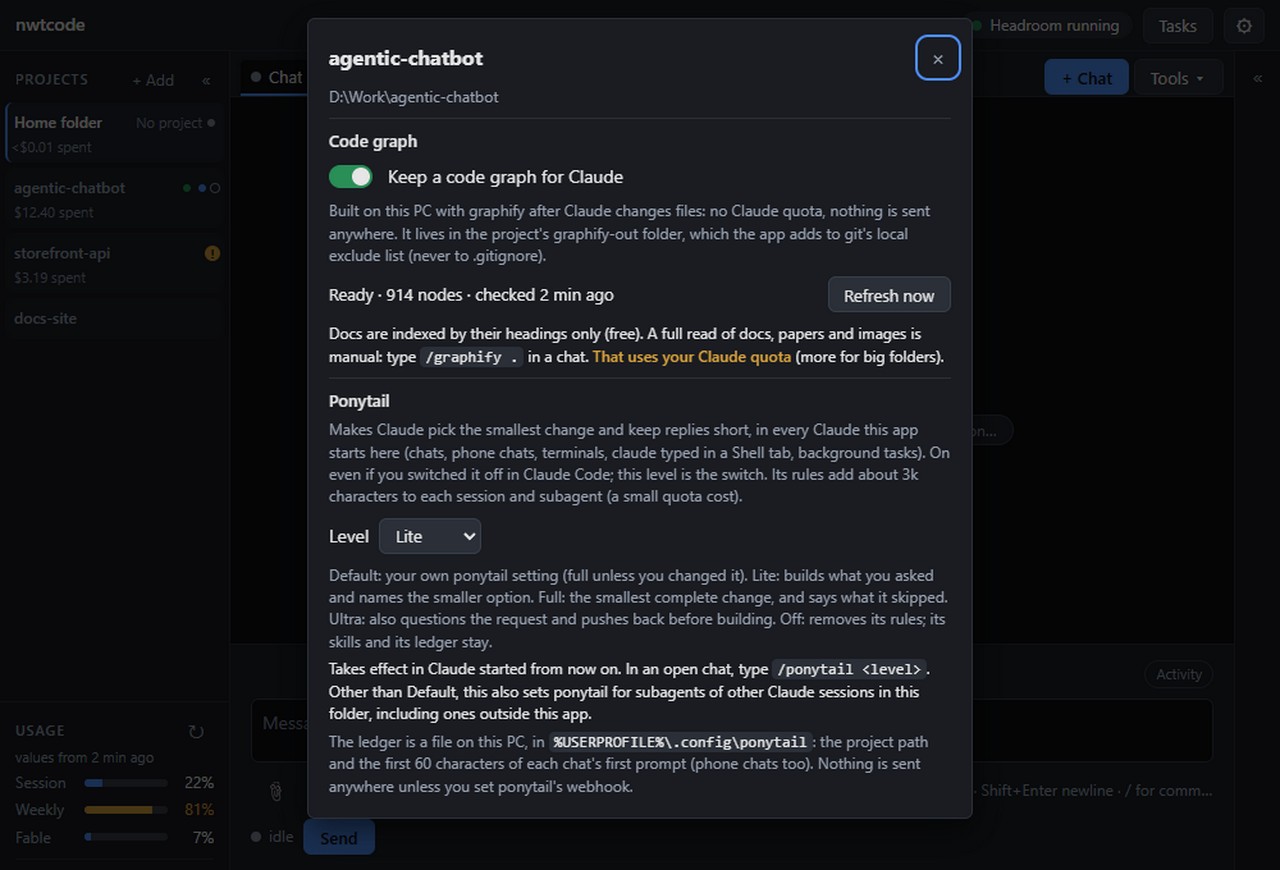
Projects
Every project is its own workspace.
Switch project and the whole set of tabs switches with it: chats, terminals, browsers and the architecture view. The ones you left keep running.
- An amber marker and a Needs you button show when a chat in another project waits for you.
- An agent in one project cannot see another project's tabs.
- Costs and usage are counted per project.
Browser tabs
Be the user, the admin and the guest at once.
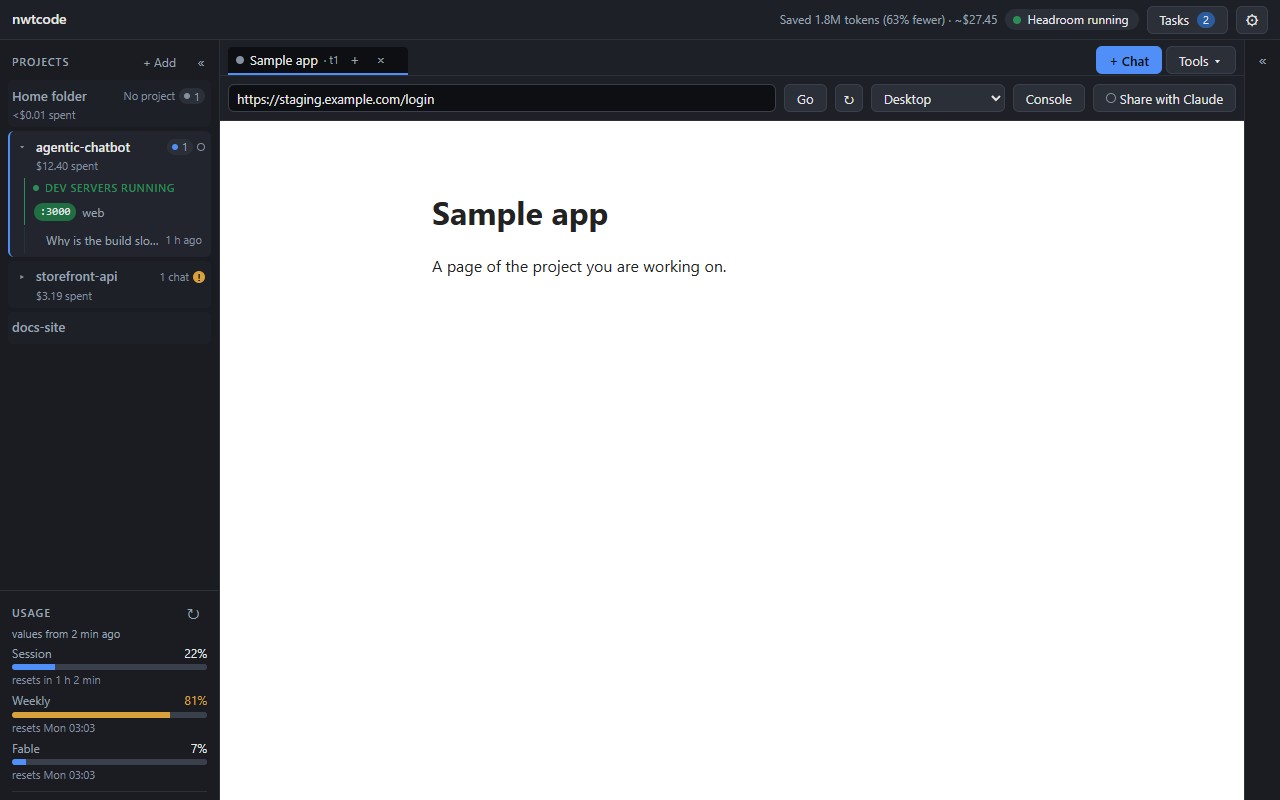
Each browser tab you open gets its own session: its own cookies, its own login. Test every role side by side without incognito windows or extra profiles. Add a tab to a group only when you want it to share a login.
- Your agent can drive these tabs too: read the page, click, type, take screenshots.
- It only touches sites you chose to share with it, and asks first.
Tab 1session A admincookies: A onlyTab 2session B customercookies: B onlyTab 3session C guestcookies: C only
Phone
Leave the desk. Keep the session.
Watch a chat, answer a permission request, approve a plan or send the next message from your phone. It is the same chat list as on your PC, not a copy.
01 Scan the QR code on your PC once.
02 Compare the code, press Allow. Done: the phone signs in by itself with a key that never leaves it.
- Your files and chats stay on your PC. nwtcode's service only relays the connection.
- Approval happens at the PC. Nothing on the phone can pair itself or switch phone access on.
- Phone access is per project, and you can remove any phone at any time.
Universal agent
Any AI can hand work to your PC.
nwtcode turns your computer into a local coding agent that other AI tools can call. They connect over MCP or plain HTTP with a key you make and can cut off at any time. The work runs in your project, on your machine, with your own agent.
- PaperclipOne-click Connect inside the app
- CodexOne command, or a pasted prompt
- OpenClawOne command, or a pasted prompt
- Claude CodeOne command, or a pasted prompt
- Any MCP clientAddress and key, nothing else
- Any service that calls HTTPThree plain endpoints
start_task.get_task for the result.Connect in a minute
Make a key
Settings, then Agent connections. One connection per agent, so you can remove just one.
Paste the prompt
nwtcode writes the setup prompt for you: the address, the key and how to use the tools. Paste it into your agent, or use the one-line command from the guide.
Give it a task
Your agent lists your projects, starts a task, and waits for the answer. You can watch the chat live, on your PC or your phone.
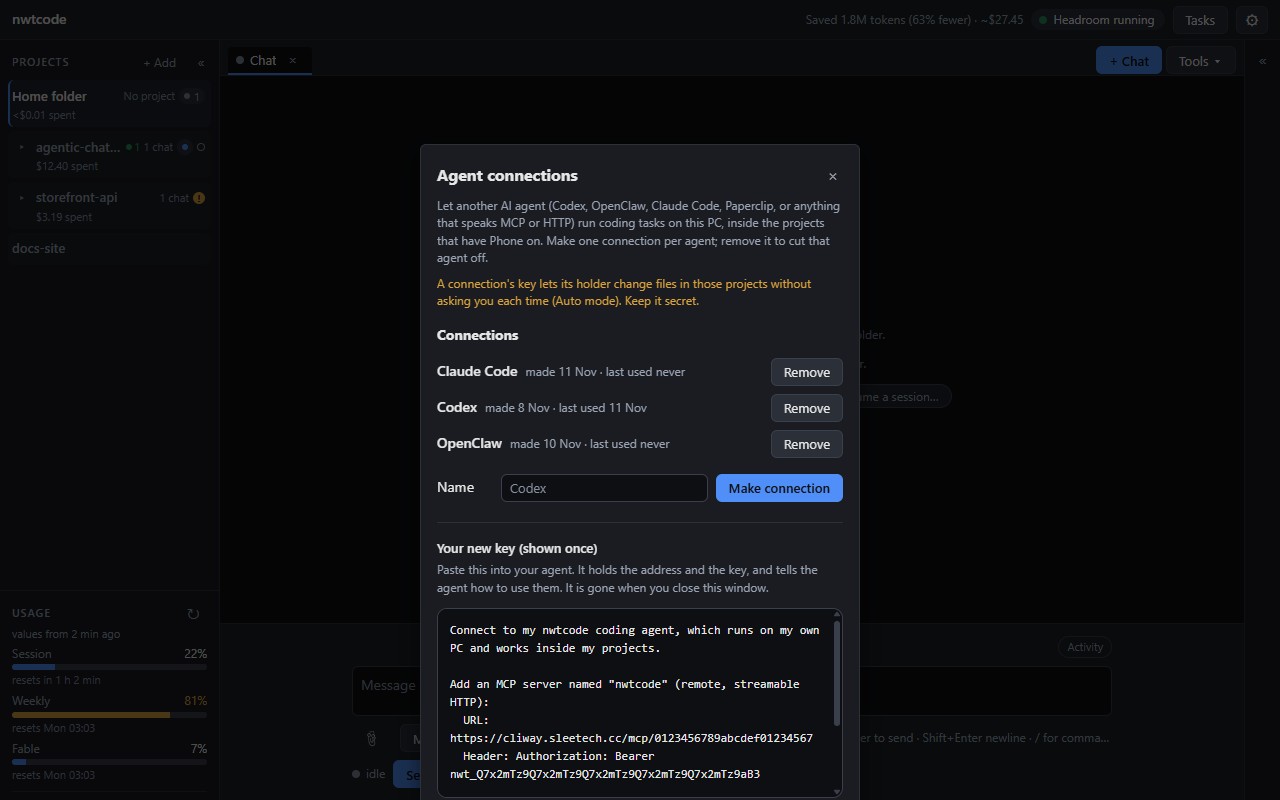
list_projectsstart_taskget_taskcancel_tasklist_tasks
Yours
Your agent. Your setup. Your machine.
Your subscription
nwtcode uses your own subscription to your coding agent. You sign in the way you already do; nwtcode never sees your login and does not resell access.
Your skills and tools
The skills, plugins and MCP servers from your agent setup keep working in nwtcode. Nothing is replaced and nothing is rewritten in your settings.
Your code
Files stay on your PC. The online service only connects your phone or Paperclip to it. It stores no code and no chats.
Pricing
One plan. Three PCs.
One account runs nwtcode on up to three of your PCs, with phone access and agent connections included.
$5 / month
- Up to 3 PCs on one account
- Agent usage is billed by its provider to your own subscription, not by us
What you get
- See the whole system. An architecture map drawn from your code, which flags where it no longer matches.
- Stop re-buying context. Headroom compresses what your agent reads in every session and shows what it saved.
- Find code without a search. A code graph answers "who calls this?" without reading the files again.
- Leave the desk. Answer permission prompts, approve plans and send the next message from your phone.
- Test every role at once. Each browser tab has its own cookies and login, so no incognito windows.
- Get smaller diffs. Ponytail asks for the smallest change that fully solves the task.
- Never miss a stuck chat. A Needs you button shows when a chat in another project is waiting for you.
- Switch projects without losing your place. Each project keeps its own chats, terminals and browsers, still running.
- Keep your setup. Your skills, plugins and MCP servers keep working, and your settings are not rewritten.
- Let other AIs hand you work. Codex, OpenClaw, Paperclip or any MCP client can start tasks on your PC.
Questions
Do I need a subscription to a coding agent?
Yes. Today nwtcode works with Claude Code, so you need a Claude subscription, signed in on your PC. Anthropic bills that subscription; nwtcode's plan is separate. Support for more coding agents is planned.
Will my skills, plugins and MCP servers still work?
Yes. nwtcode starts your agent with your normal user and project settings, so the skills, plugins and MCP servers you already use are there. It adds its own browser tools next to them and never replaces yours.
Where does my code go?
Nowhere. Your agent runs on your PC against your files. The service only relays your phone's and Paperclip's requests to your PC and does not store code or chats.
Which platforms are supported?
Windows for now.
Windows says "unrecognized app" when I run the installer.
The installer is not code-signed yet, so Windows Smart App Control or SmartScreen may warn about it, or block it on a PC with Smart App Control on. Choose More info, then Run anyway, or turn Smart App Control off. We will sign the installer.
What are Headroom, graphify and Ponytail?
Open-source projects by their own authors that nwtcode integrates: Headroom compresses what your agent reads, graphify builds the code graph, and Ponytail is a lean-coding mode. Their licences are listed on the licences page. nwtcode is not affiliated with Anthropic.
Which agents can connect?
Any agent that can add an MCP server (Codex, OpenClaw, Claude Code and others) or call HTTP. Paperclip also has a one-click Connect in the app. The guide has a copyable prompt and the commands for each. We have tested the MCP and HTTP paths ourselves; each agent's own setup changes quickly, so check its docs if a command differs.
Is a connection safe?
Each connection has its own key, shown once and stored only as a hash on your PC. A key lets its holder run tasks in the projects you have switched on for phone access, in Auto mode, so treat it like a password and remove it when you stop using that agent.